
eBay listing tools
Create an eBay listing or improve one that’s already live.
Prepare a priced draft from your photos, or connect eBay to find live listings worth revisiting. Review the suggested changes before applying them. AI creation and optimisation are available in the invited Windows preview.
Your listing assistant
Build a draft from your product photos.
Start with your own photos. Confirm the product and tell Grabbit its condition. Then review a prepared listing instead of facing an empty form.
- 01
Show the product
Upload photos and confirm the exact model or variant.
- 02
Tell its story
Add condition, faults, accessories and anything a buyer should know.
- 03
Review the result
Check the title, description, category, specifics and available price guidance. Edit what needs changing.

Your listing. Your final say.
AI listing preparation is in the latest Windows pilot. Research coverage varies, and you review before publishing. Proposed credit allowances are shown with each plan.
Existing eBay listings
Which listing needs your attention first?
Create a stronger first listing, then revisit the products still waiting for a buyer. Grabbit helps you decide what deserves attention.
Windows pilot · AI listing optimiser
Choose the changes worth making.
Research an existing eBay listing and compare suggested wording, missing item specifics, photo improvements and pricing evidence. Select individual changes, then check them before confirming any update to eBay.
Website & Windows · performance review
See what buyers are doing.
Compare two periods of eBay views, impressions and sales transactions where your account provides them. See listing age and content gaps together, with explanations of what to investigate. An older listing or missing data never automatically means a price cut.
On-demand review for supported GBP fixed-price listings. eBay performance access may require additional permission. AI generation is enabled for pilot accounts; changes are reviewed in Windows. This is not unattended monitoring or a ranking guarantee.

Before you buy
Spot the opportunity.
Know your limit.
Research while watching live auctions or browsing timed lots. Keep the product, the comparisons and your buying budget in view.
Snapshot the item, not the whole room.
Capture the view or drag around the product for a more focused eBay image search. Useful when a live seller holds an item far from the camera.
Work back from your total budget.
Max Bid allows for commission, VAT, delivery and other fees. Save the auction’s fees, then change your spending limit for the next lot.
Research tools in Windows. Whatnot, TikTok, John Pye and i-bidder are sourcing uses; you choose and place every bid. Available comparisons do not guarantee resale value.
Know your numbers
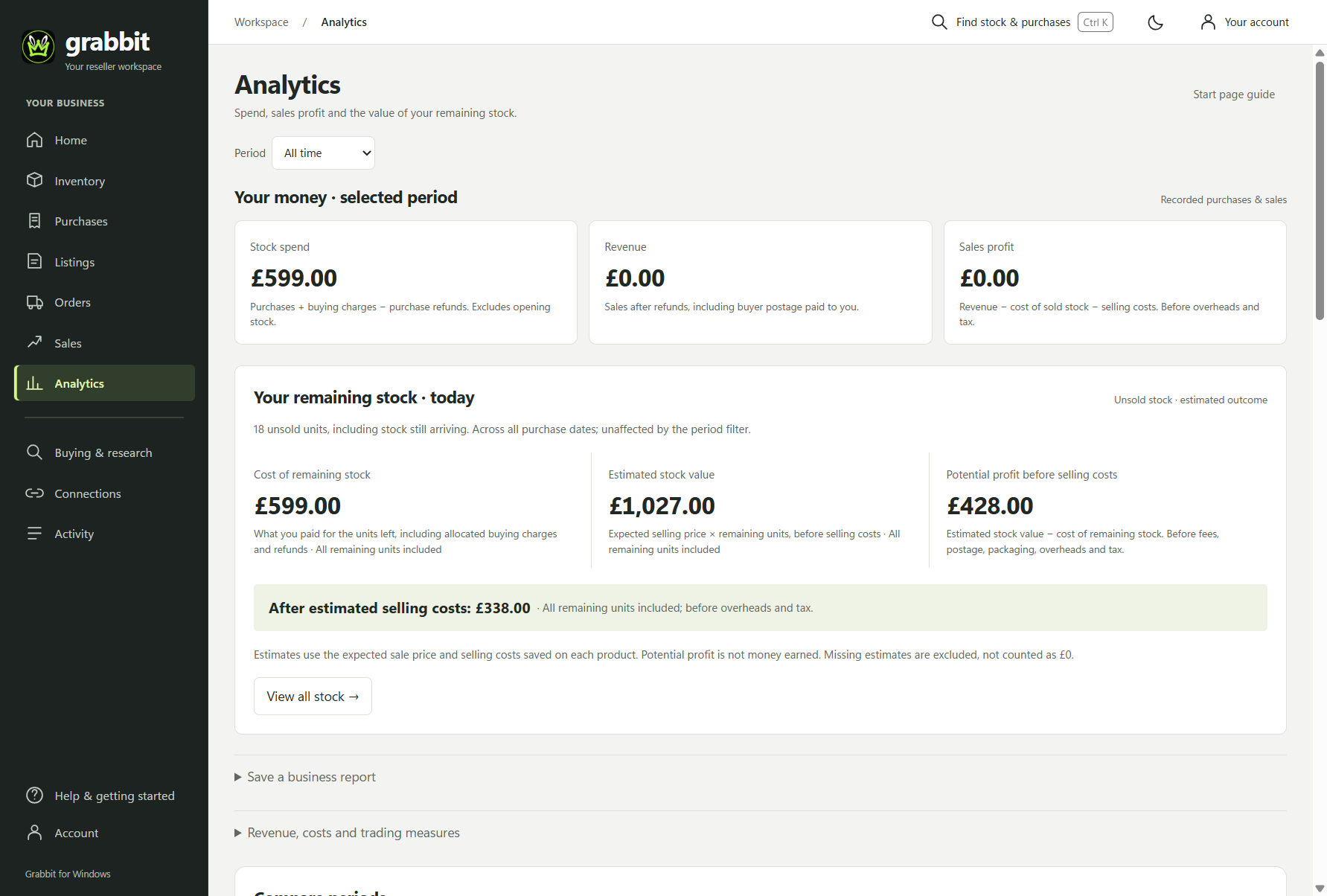
See your profit after costs.
See spend, revenue and profit from sales. Then look separately at what your remaining stock cost, its estimated selling value and its potential profit. Missing costs stay visible.
Beyond the listing
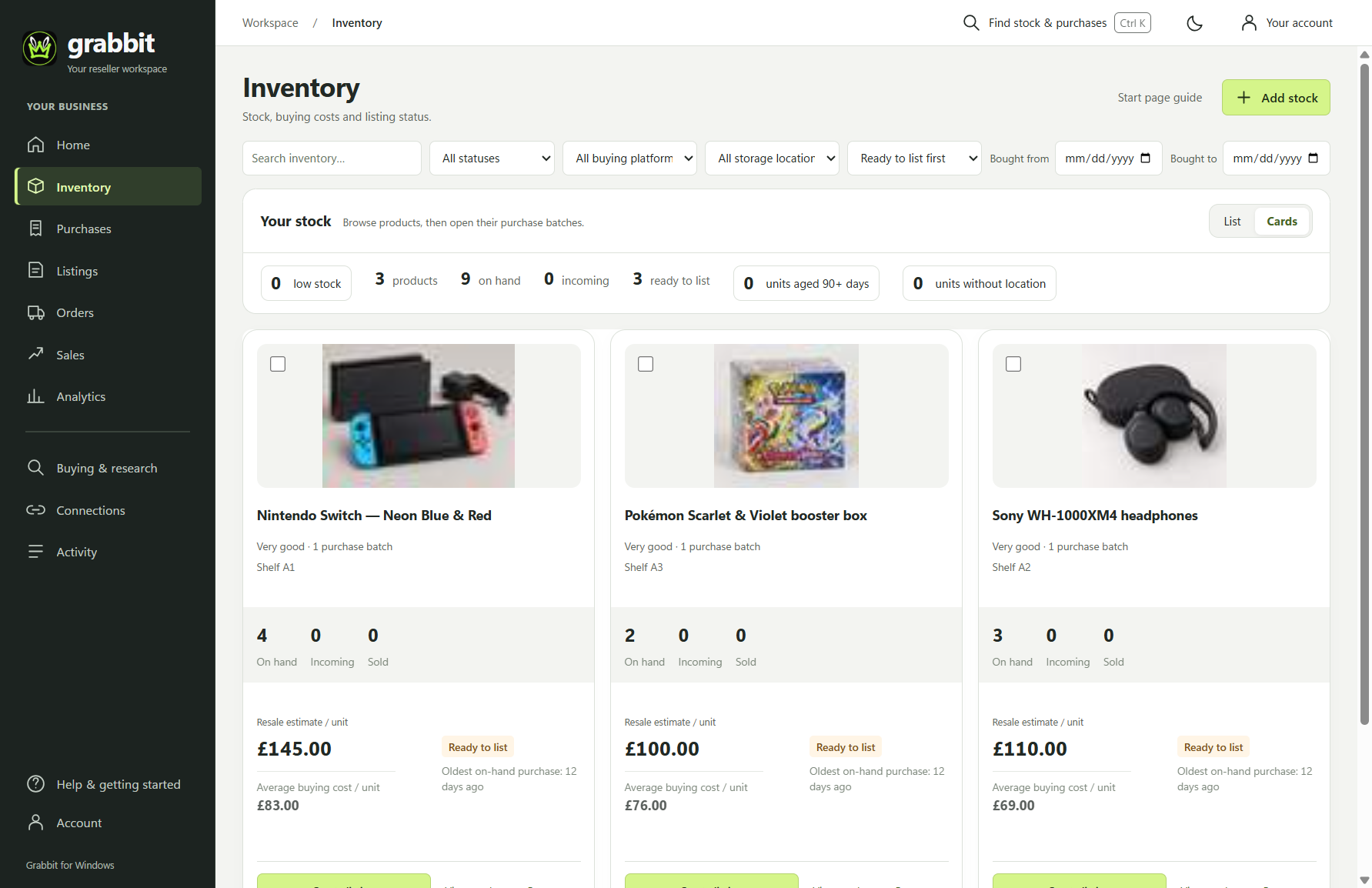
Know what you have.
And where you put it.
Keep photos, purchases, shelf locations and listing details together. Buy the same item twice at different prices? Grabbit keeps the batches and works out your average unit cost.
Buy in batches
Track quantities, buying charges and partial arrivals.
Find it quickly
Keep shelf locations, SKUs and private notes with your stock.
Bring what you own
Import purchase spreadsheets or review imported eBay listings.
When it sells
A clearer
dispatch day.
See what needs sending, pick from the right shelf and keep dispatch and return records with the order.
Pick with a plan.
Organise orders into picking lists, with stock locations close at hand.
Keep parcels moving.
Work with labels you import, including batch 4×6 and A4 layouts. Postage buying is handled separately.
eBay
Connected listing and order workflows, with reviewed stock links and finance imports where available.
Vinted
Prepare drafts, record paid orders and organise picking and returns. Publishing and marketplace updates stay manual.
The details, when you need them
Explore the toolkit.
Stock with a backstory
- Purchase batches, partial arrivals and opening stock
- Storage locations, SKU and private notes
- Weighted average cost per unit across purchases
- Stock aging and sell-through
- Purchase CSV mapping, review and duplicate checks
From photos to a listing
- AI-assisted title, description, category and item specifics in the latest Windows pilot
- Visual pricing guidance with available research evidence
- Independent eBay and Vinted drafts
- Draft recovery and reusable product facts
- Crop, rotate and basic photo adjustments
- Original preservation and private photo backups/cloud copies
- eBay listing import with reviewed stock linking
- Vinted preparation, export and manual handoff
A calmer dispatch day
- Connected eBay orders and manually recorded Vinted paid orders
- Vinted picking, local dispatch and return records
- Picking lists
- Batch labels you import in 4×6 or A4 layouts
- No universal automatic label retrieval or postage buying
Profit, with the costs in view
- Revenue, fees, postage, refunds and known-cost profit
- Missing and estimated cost indicators
- Expenses and source, brand and category reports
- Historical sales CSV mapping, review and duplicate checks
Choose where you work
At your desk. In your browser.
Windows
Your full working day.
Desktop preview
Website
Your stock, within reach.
Web workspace preview
Capabilities vary by app and release. Check the downloads page for current availability and preview limitations.